
 Available on the App Store
Walk to earn your
screen time.
StepScroll locks your apps until you walk enough steps. One rule. No exceptions.
Simple by design
How it works
Three steps. No loopholes.
Lock your apps
Choose which apps to block, including social media, games, or anything that pulls you in.
Walk your steps
Every step earns screen time. Apple Health tracks it automatically in the background.
Cash in your steps
When you are ready, use cash in to turn the steps you walked into screen time in your balance. That is what you spend before your locked apps open again, still on StepScroll’s one-rule setup.
You don't lack discipline. Your apps are just too easy to access.
You open apps before you think.
Social apps sit one tap away on every device. You scroll again before you notice, while notifications, badges, and infinite feeds pull you back in.
- Notifications pull you back in seconds.
- Screen Time limits are easy to ignore.
- "Just five more minutes" never is.
Move first. Scroll second.
StepScroll ties app access to real movement synced from Apple Health. Without enough steps, apps stay locked, and that rule is applied automatically.
- Apps stay locked until your step goal is met.
- Real steps from Apple Health. No cheating.
- Goal hit? Cash in your steps for screen time.
Inside the app
Built for clarity and control
Real screens from StepScroll. Each one supports a single idea: walk first, scroll second.
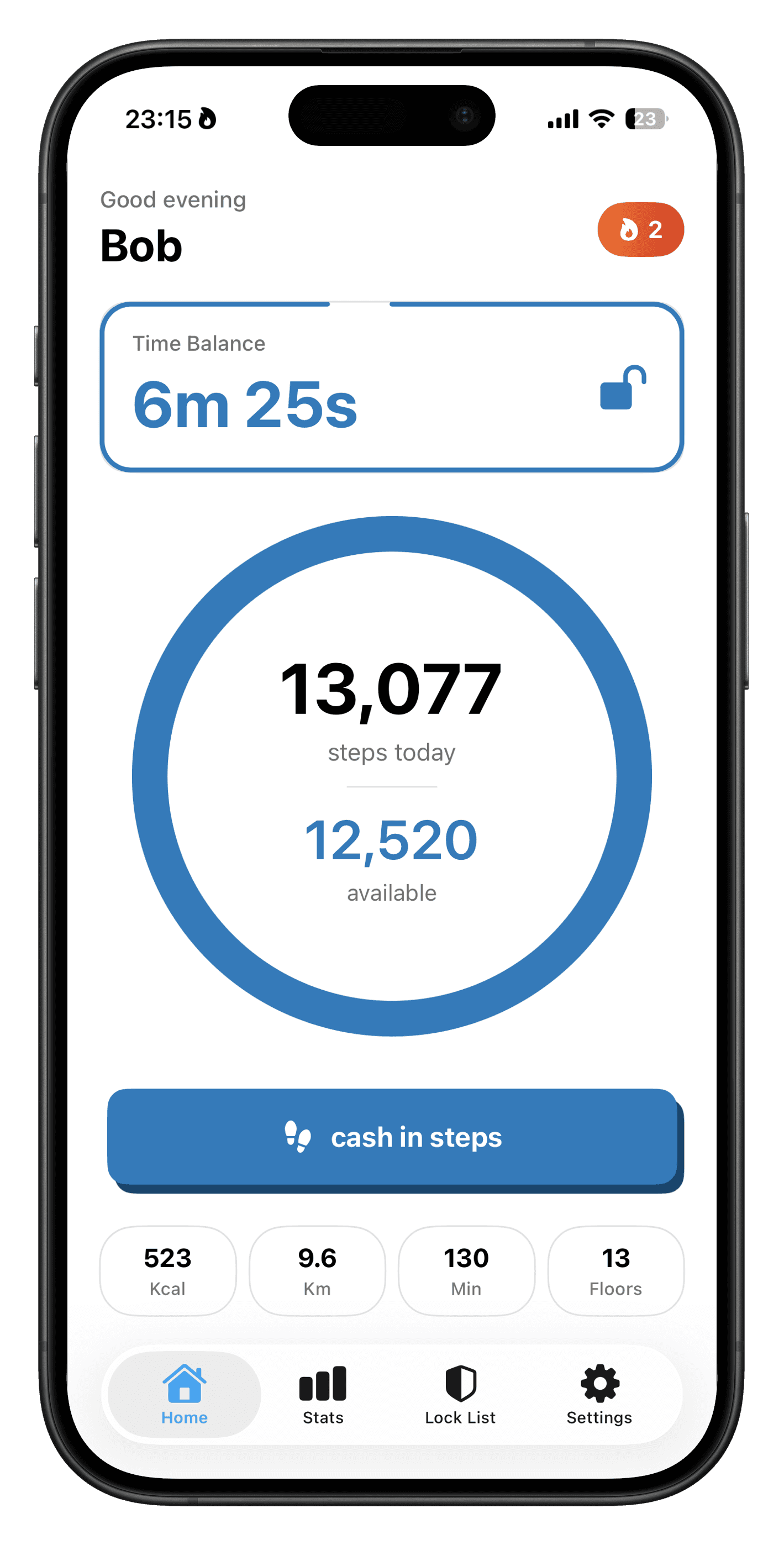
Your steps fund your screen time
The home screen puts your step ring and time balance front and centre. You always see how far you are from your goal and how much unlocked time you have earned before you open blocked apps.
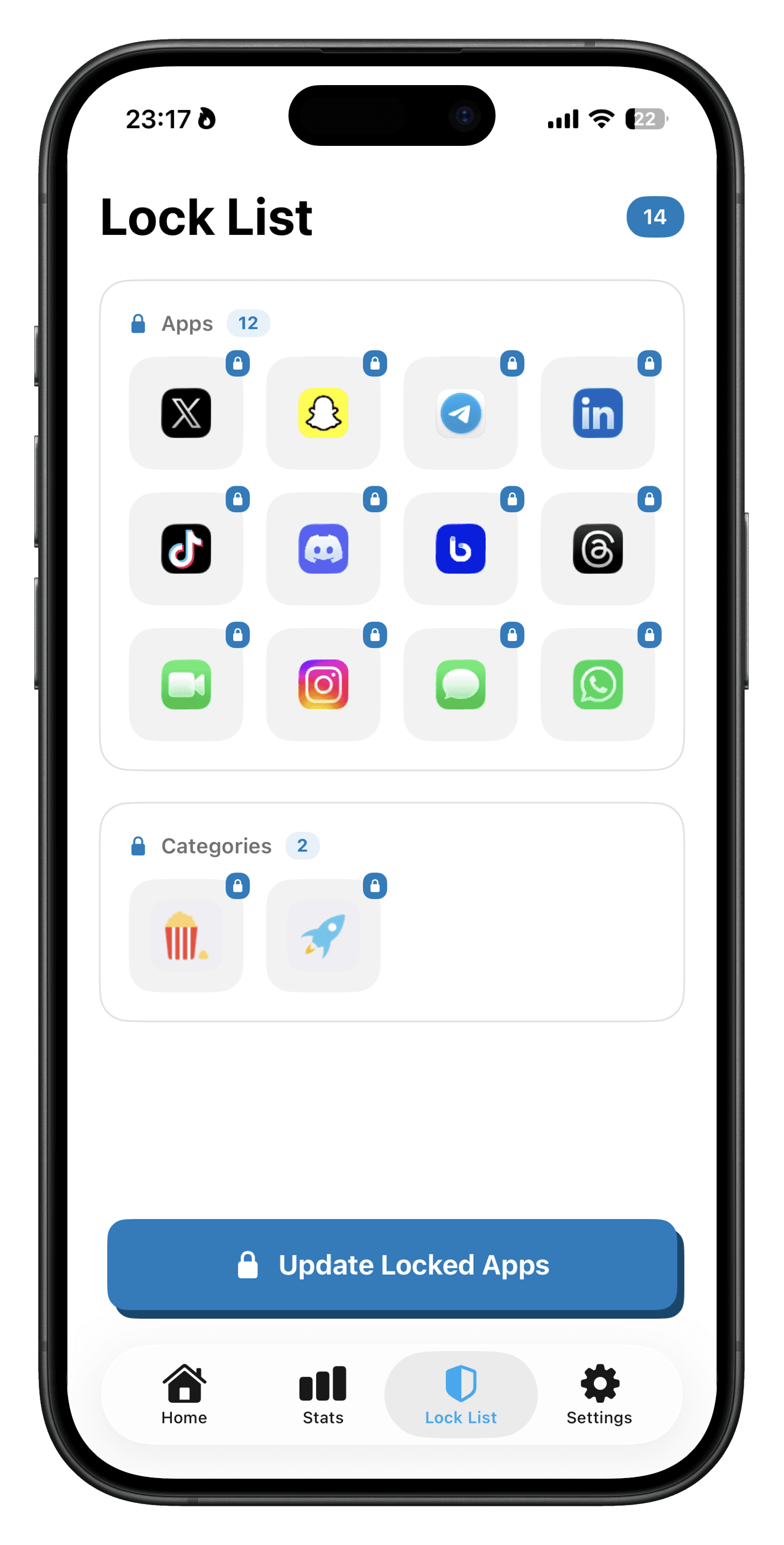
Pick exactly which apps to lock
Choose the apps that pull you into doom-scrolling. They stay inaccessible until you have walked enough to earn access, so friction is on your side instead of the algorithm’s.
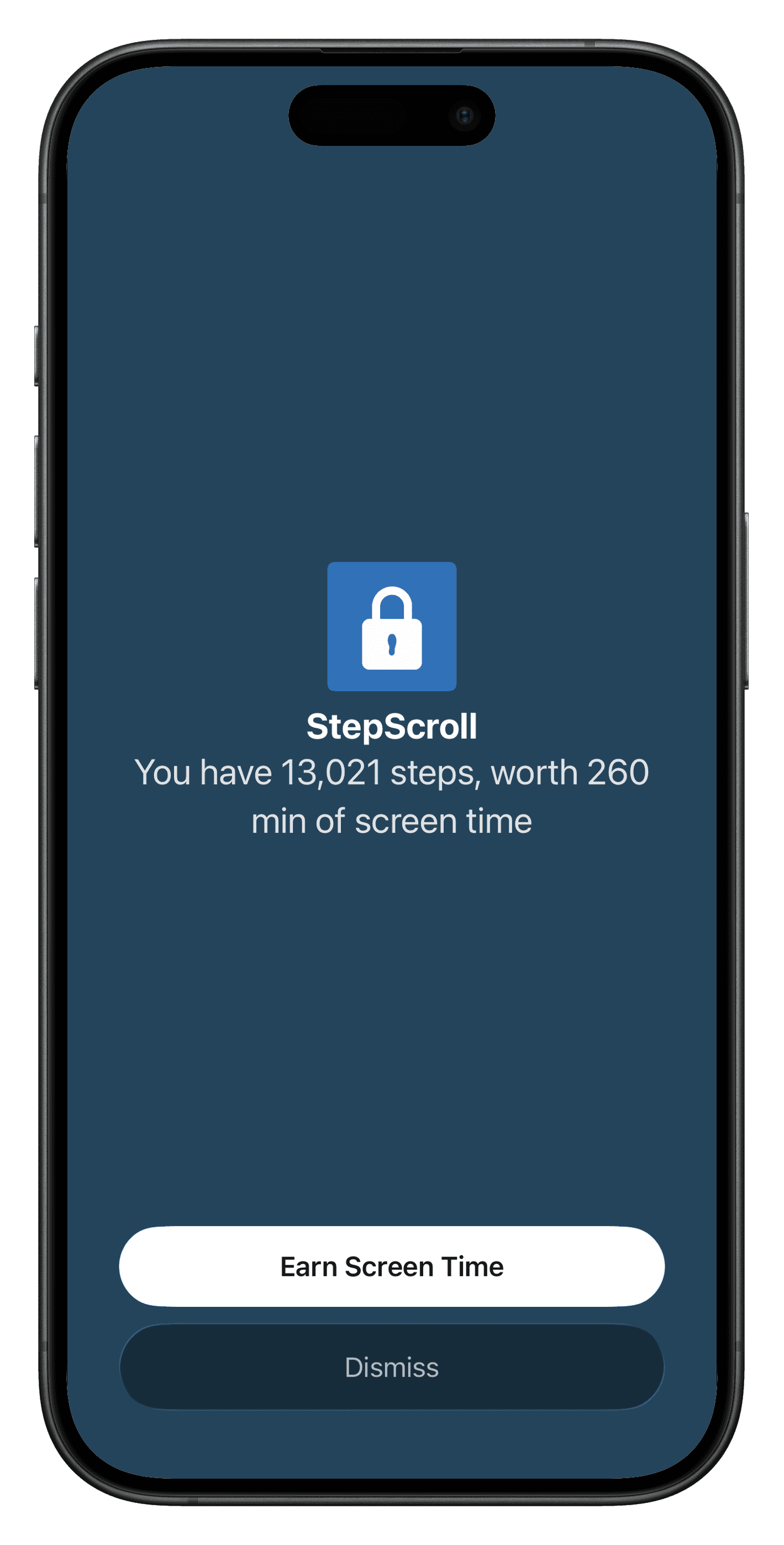
One rule, enforced for you
The shield view makes it obvious that protection is on. StepScroll is doing the enforcement so you are not negotiating with yourself every time you unlock your phone.
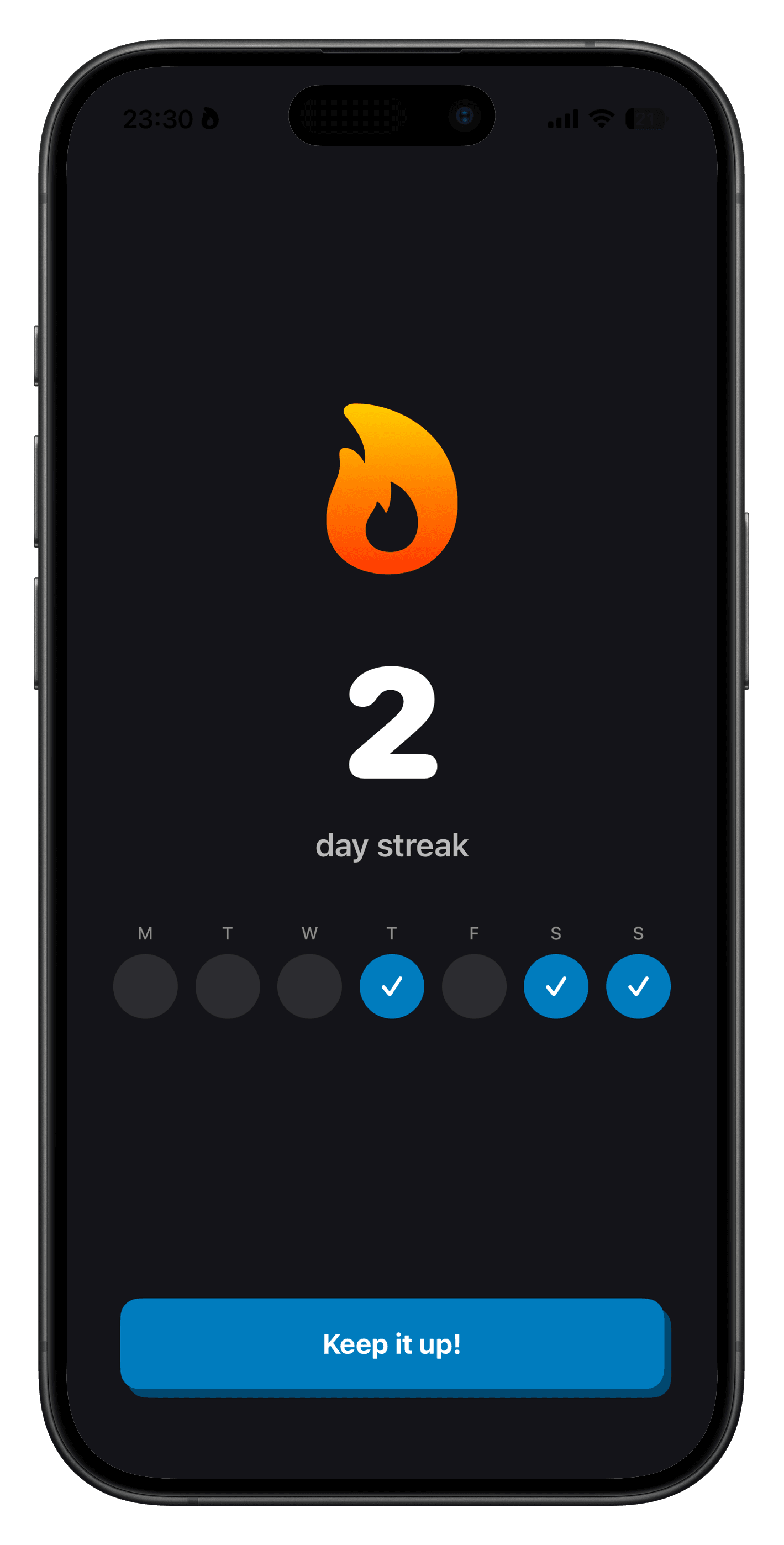
Streaks that reward showing up
Streaks celebrate consistency when you hit your goals day after day. They are designed to build momentum, not to shame you, so the habit gets easier the longer you stick with it.
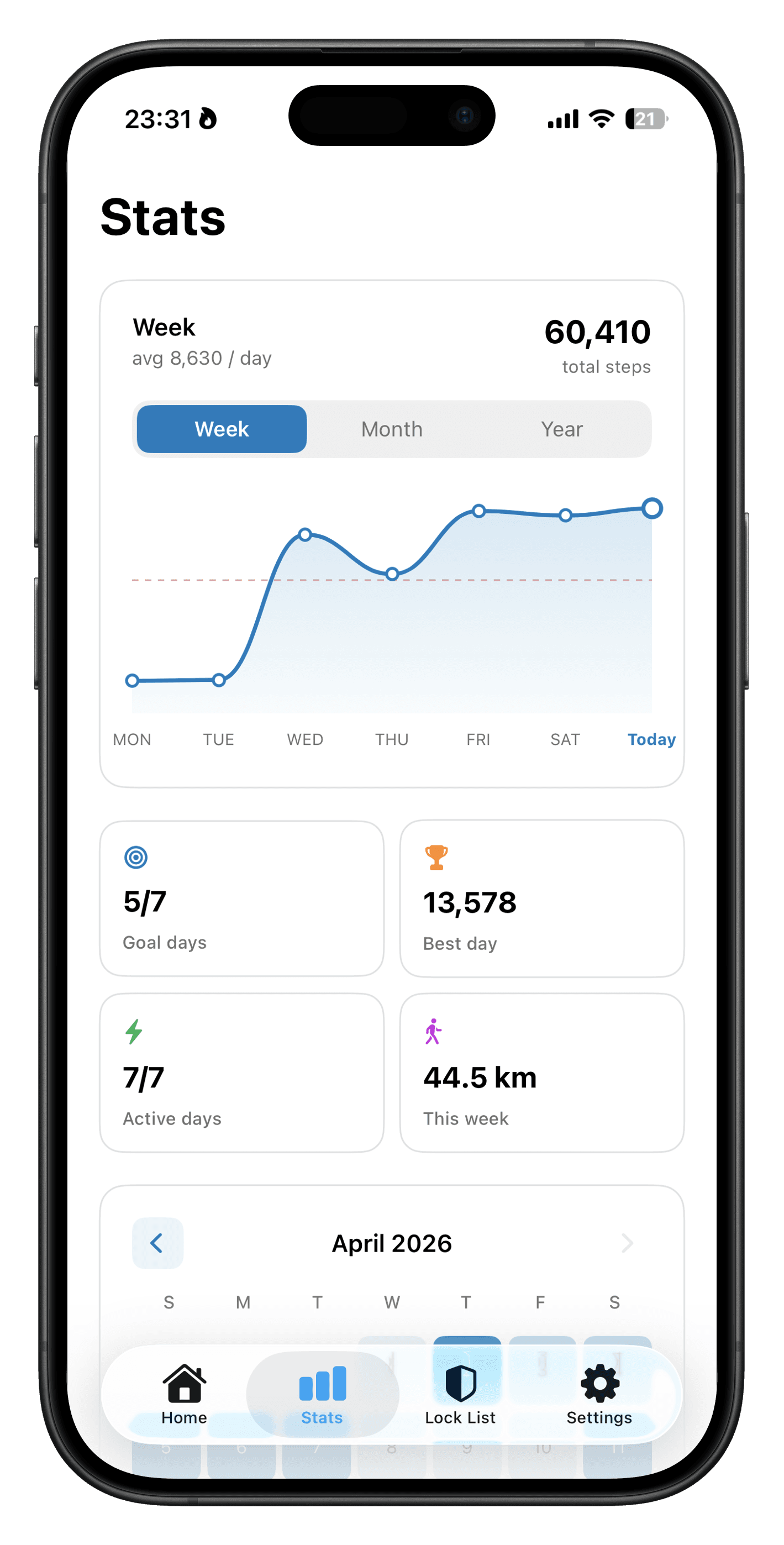
Stats that connect movement to attention
Your stats summarise how you are doing over time. Seeing the relationship between steps earned and screen time reclaimed helps you notice patterns and stay honest with yourself.
People who chose movement
Hear from folks who traded mindless scrolling for steps that actually stick.
“I finally stopped opening Twitter before my feet hit the floor. Brutal in the best way.”

“We use it as a family. The kids move more, and the fights about phones dropped overnight.”

“I've tried every screen-time app. StepScroll is the first one that actually stuck.”

“I finally stopped opening Twitter before my feet hit the floor. Brutal in the best way.”
“We use it as a family. The kids move more, and the fights about phones dropped overnight.”
“I've tried every screen-time app. StepScroll is the first one that actually stuck.”
“My morning scroll was automatic. Now I take a lap first. Weirdly, I look forward to it.”

“Locks are strict but fair. I earn my breaks and stop feeling guilty about downtime.”

“Step goal + app limits finally live in one place. Less negotiating with myself.”

“My morning scroll was automatic. Now I take a lap first. Weirdly, I look forward to it.”
“Locks are strict but fair. I earn my breaks and stop feeling guilty about downtime.”
“Step goal + app limits finally live in one place. Less negotiating with myself.”
“I was skeptical about another tracker. The friction-to-reward ratio is what sold me.”

“Evening doomscrolling is gone because I never unlock socials until after a walk.”

“Clean UI, one rule, no loopholes. Exactly what I needed to rebuild a healthier habit.”

“I was skeptical about another tracker. The friction-to-reward ratio is what sold me.”
“Evening doomscrolling is gone because I never unlock socials until after a walk.”
“Clean UI, one rule, no loopholes. Exactly what I needed to rebuild a healthier habit.”
Ready to stop doom-scrolling?
Start your 3-day free trial. No charge until it's over.
iPhone · iOS 17 or later